Government e Marketplace Buyer Training
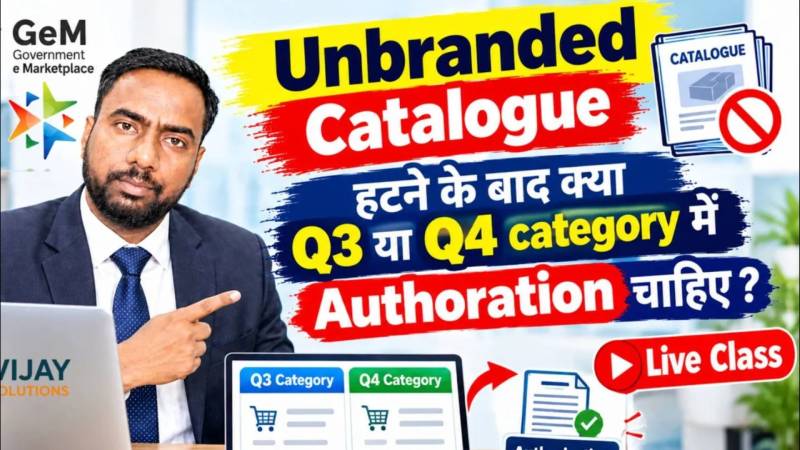
If you are an Government employees of the Government of India or a State Government and wish to undergo training for a GeM Buyer ID, please join my live class to learn the entire process—including Direct Purchase, L1 Purchase, Bid Creation, Reverse Auction, BOQ, Invoice Processing, Contract Management, CRAC, and much more.

Why Choose Our GeM Training?
Expert Trainers
Learn GeM procurement from experienced professionals with practical knowledge.
Live Practical Sessions
Real-time GeM portal demonstrations with complete procurement workflow.
Complete Learning
From beginner to advanced level including Purchase, BID, Bill and payments.
Certification
Professional WhatsApp Support after successful training for 30 days.
Training Modules
Beginner Module
- Introduction to GeM Portal
- Buyer Basic information
- User Roll
- Product Search
- Direct Purchase Process
- Order Management
Advanced Module
- Bid Creation
- BOQ Procurement
- Reverse Auction
- Service Procurement
- Technical Evaluation
- Vendor Selection
Expert Module
- Contract Management
- Invoice Processing
- CRAC Generation
- PFMS Payment
- MIS Reports
- Vendor Management
About GeM Buyer Training
What is GeM?
Government e Marketplace (GeM) is an online procurement platform launched by the Government of India for transparent purchasing of goods and services by government departments, ministries, railways, PSUs, educational institutions, and other government organizations.
What Will You Learn?
This GeM Buyer Training covers complete procurement workflow including direct purchase, L1 procurement, bid creation, BOQ management, reverse auction handling, vendor evaluation, contract management, invoice approval, and payment processing with practical live demonstrations.
Who Can Join?
Government employees, procurement officers, PSU staff, railway departments, schools, hospitals, municipal corporations, panchayat officials, private consultants, and beginners interested in GeM procurement can join this training program.
Training Benefits
After completing this training, participants can professionally handle GeM procurement, avoid common mistakes, manage government purchases efficiently, improve procurement speed, and gain complete practical exposure to the GeM ecosystem.
Frequently Asked Questions
Yes, this training starts from basic concepts and gradually moves to advanced GeM procurement operations.
Yes, complete practical and live portal demonstrations are included in the training.
Yes, participants receive a professional completion certificate after successful training.
Yes, both online live training and offline classroom training options are available.
Become a GeM Procurement Expert
Learn complete Government e Marketplace procurement professionally with practical training, live sessions, and expert guidance. Start your GeM Buyer journey today.
GeM ट्रेनिंग विवरण
क्या आप GeM पर काम करना सीखना चाहते हैं?
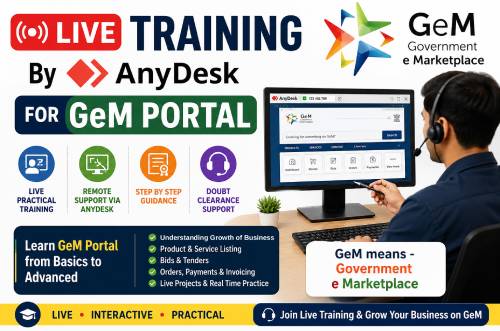
अगर आप gem पर काम करना सीखना चाहते है तो Vijay Solutions की ओर से दिए जाने वाले ट्रेनिंग प्रोग्राम में भाग ले सकते है। AnyDesk के माध्यम से ऑनलाइन one-to-one लाइव GeM Training सत्र में ज्वाइन कर सकते है।
📌 Key Details of the Training:
- GeM ट्रेनिंग 4 दिन का होगा।
- प्रत्येक दिन का ट्रेनिंग 1 घंटा (one hour) का होगा।
- ट्रेनिंग का समय: सुबह 8:00 बजे से शाम 5:00 बजे के बीच – कोई भी स्लॉट चुनें जो आपको सबसे अच्छा लगे।
- दैनिक स्लॉट पुष्टि: अगले दिन के लिए अपना पसंदीदा समय WhatsApp पर एक दिन पहले बताना होगा।
- प्लेटफ़ॉर्म: प्रशिक्षण AnyDesk सॉफ़्टवेयर का उपयोग करके Live दिया जायेगा ।
- ट्रेनिंग करने के लिए आपका GeM अकाउंट एक्टिव होना चाहिए।
- ट्रेनिंग के समय सिर्फ एक व्यक्ति ही ट्रेनिंग ले सकते है.
- GeM ट्रेनिंग फी ₹ 4,000 (चार हजार ) है.
- ट्रेनिंग वही लोग ज्वाइन करें जिनको लैपटॉप या डेस्कटॉप कंप्यूटर अच्छे से चलाना आता हो।
- प्रशिक्षण के बाद सहायता: ट्रेनिंग पूरा होने के बाद भुगतान की तिथि से 1 महीने तक सपोर्ट दिया जायेगा जो सिर्फ व्हाट्सअप के माध्यम से होगा । आप सपोर्ट के लिए १०:00 AM से ५:00 तक कॉन्टेक्ट कर सकते है।
❌ Please Note:
ट्रेनिंग फीस भुगतान करने के 1 महीने के भीतर ट्रेनिंग पूरा करना होगा – इस अवधि के पूरा होने के बाद कोई भी रिफंड या ट्रेनिंग नहीं दिया जायेगा। इस लिए पेमेंट आप तभी करें जब आप ट्रेनिंग के लिए तैयार हो।
एक बार ट्रेनिंग शुरू होने के बाद, किसी भी परिस्थिति में कोई भी ट्रेनिंग फी रिफंड नहीं दिया जायेगा ।
GeM Training Details
Interested in learning how to work on GeM?
If you want to learn to work on GeM, then you can participate in the one-to-one GeM Training Program provided by Vijay Solutions.. Join a Live Training Session with Vijay Sir, conducted remotely via AnyDesk.
📌 Key Details of the Training:
- GeM Training Duration: 4 days
- Session Length: Approx 1 to 2 hours per day
- Timings: Between 8:00 AM to 5:00 PM – Choose any slot that suits you best.
- Daily Slot Confirmation: Share your preferred time for the next day on WhatsApp, one day in advance.
- Platform: Training will be conducted using AnyDesk software.
- GeM Training fee is ₹ 4,000 only (Four thousand).
- To do the training, your GeM account must be active.
- Only one person can take the training at the same time.
- Post-Training Support: 1-month support starting from the date of payment.
❌ Please Note:
The training must be completed within 1 month of paying the training fee – no refund or training will be given after the completion of this period. So, make the payment only when you are ready for the training.
Once the training begins, no refunds will be issued under any circumstances.
GeM Training Fee💰 is 4,000 Rupees
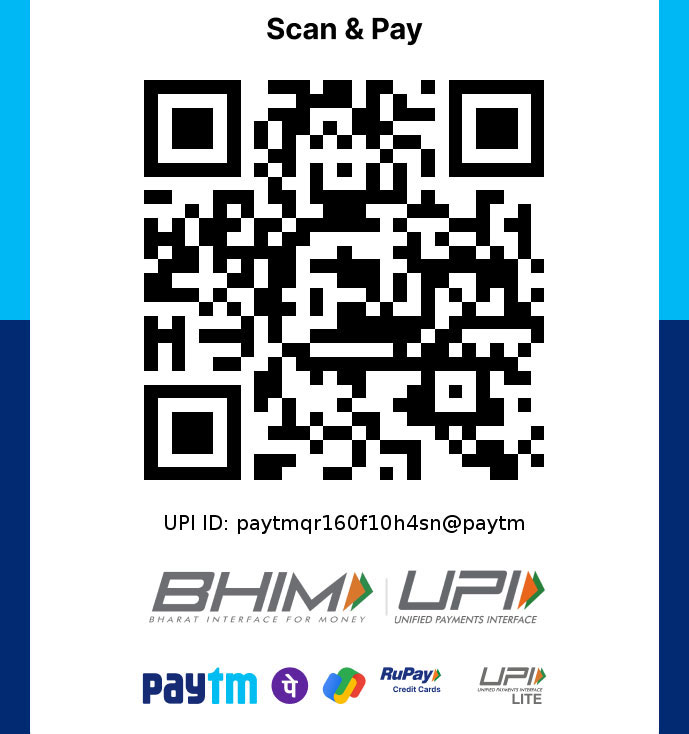
📸आप चाहें तो दिए गए QR कोड को स्कैन करके भुगतान कर सकते हैं या फिर UPI द्वारा भी 8700042098 पर भुगतान कर सकते हैं।”
💰 How to pay training fees:
💰 How to pay training fees:
Payment process & Training slot booking… :
- 📸 If you want, you can pay by scanning the Given QR Code or you can also pay on 8700042098 by UPI.”
- After making the payment, send the screenshot via WhatsApp to the same number (8700042098).
- 📆 After receiving the screenshot, our office team will confirm the training time to you.
- ⏰ Vijay Sir will call you at the scheduled time and start the training from AnyDesk.
भुगतान प्रक्रिया और ट्रेनिंग के लिए स्लॉट बुकिंग… :
- भुगतान करने के बाद स्क्रीनशॉट को व्हाट्सएप के माध्यम से 8700042098 पर भेजें।
- 📆 स्क्रीनशॉट प्राप्त करने के बाद, हमारी कार्यालय टीम आपको प्रशिक्षण समय की पुष्टि करेगी।
- ⏰ विजय सर आपको निर्धारित समय पर कॉल करेंगे और AnyDesk से प्रशिक्षण शुरू करेंगे।